Multi-Source AI Agent Workflow
A. System Overview
The Multi-Source AI Agent Workflow is a per-client operational process that captures, consolidates, and operationalizes client activity across communication channels into a centralized system of record within Asana. It replaces a manual, fragmented intake process where data from meeting calls, emails, and internal discussions had to be reviewed and translated into Asana tasks by hand. The workflow leverages Claude (via Cowork) and sub-agents to structure and translate client activity into actionable outputs, with human-in-the-loop validation at key decision points.
Highlights
- Workflow Orchestration: Claude Cowork coordinates multi-source ingestion, sub-agent processing, and downstream writes to Asana, Google Drive, and Slack.
- Multi-Source Ingestion: Client activity is gathered from three independent channels: meeting transcripts (Fireflies), email threads (Google Groups), and internal discussions (Slack).
- Sub-Agent Processing: A master prompt dispatches sub-agents to parse calls and emails in parallel, allowing the system to capture full nuance and the larger context across all sources.
- Human-in-the-Loop Validation: The workflow pauses at explicit approval gates before writing to Asana, includes a duplicate and merge spot-check phase, and never auto-closes tasks. Operators retain ownership of task completion.
- Three-Output Design: Each run produces structured Asana updates pushed automatically through the Asana integration, a client brief document archived to Google Drive, and a stakeholder summary posted automatically to Slack. Together, these cover operational, archival, and visibility needs in a single workflow.
Outputs
Each run of the workflow produces three coordinated outputs to ensure full visibility and alignment across teams.
- Asana Task Updates: Structured task data is pushed into Asana, including new tasks, subtasks, dependencies, comments, and status updates.
- Client Brief: A markdown file summarizing activity, decisions, risks, and progress is generated by the workflow and converted to a Google Doc for storage in Google Drive as a persistent record.
- Slack Summary: A condensed version of the Client Brief is posted to the appropriate client Slack channel for immediate stakeholder visibility.
Process Map
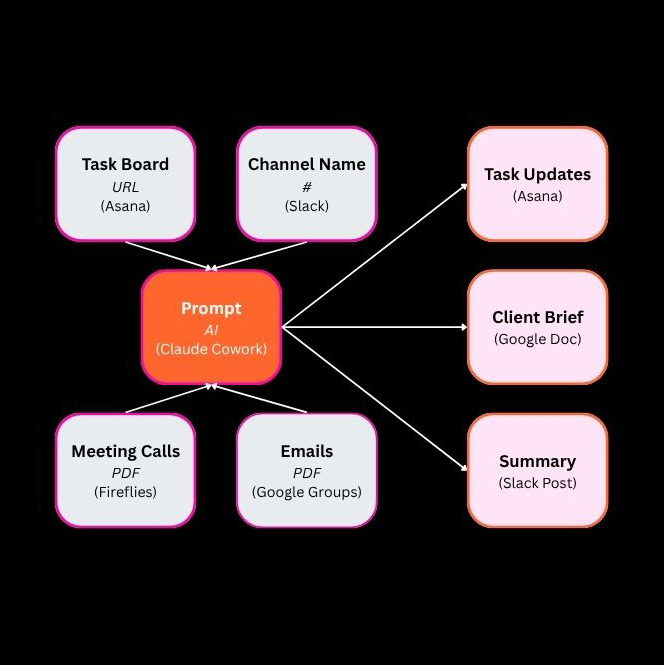
The workflow accepts two categories of inputs and produces three coordinated outputs through a single AI processing step. Endpoint inputs (Asana Task Board URL and Slack Channel Name) establish the client context, while data inputs (meeting calls and emails as PDFs and markdown files) provide the activity to be processed. Claude Cowork acts as the central processing layer, executing the master prompt and dispatching sub-agents to synthesize the inputs into structured outputs: Task Updates pushed to Asana, a Client Brief archived to Google Drive, and a Summary post delivered to Slack.
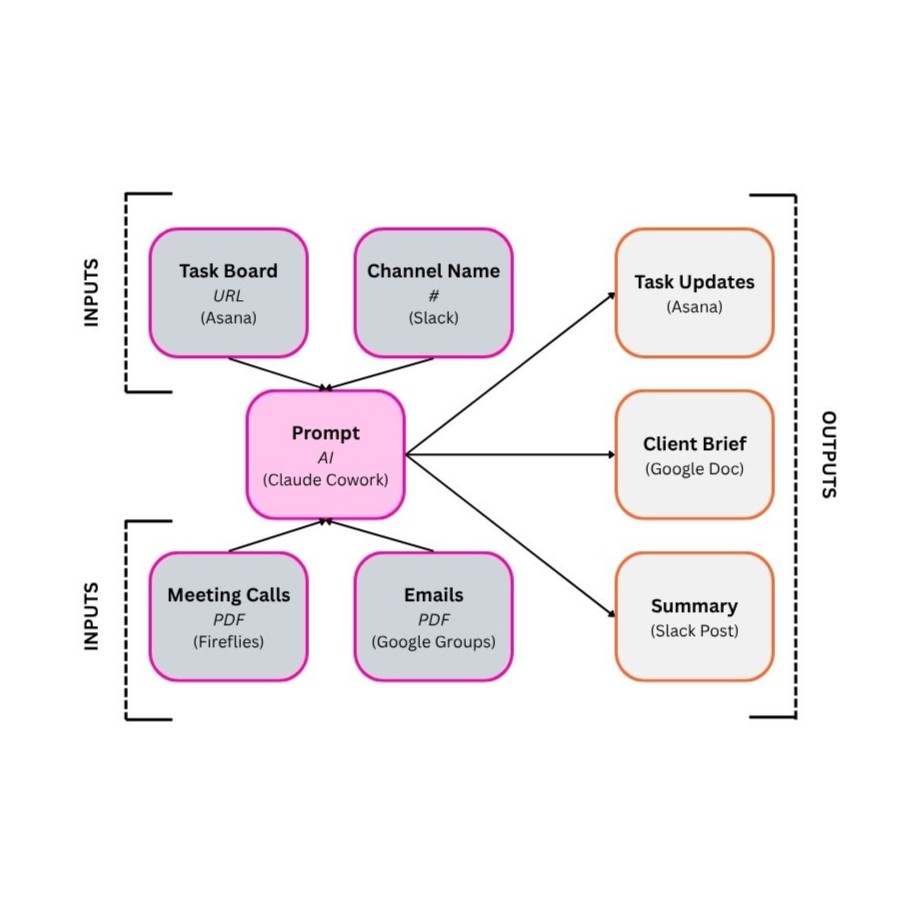
- Endpoint Inputs
The Asana Task Board URL and Slack Channel Name are gathered to establish the client context for the workflow run. - Data Inputs
Meeting transcripts from Fireflies and email threads from Google Groups are downloaded as PDFs and prepared for ingestion. - AI Processing
Claude Cowork executes the master prompt, ingesting endpoints first to build context, then dispatching sub-agents to parse the meeting calls and emails in parallel. - Approval Gates
The workflow pauses for human review after the initial synthesis and again after a duplicate and merge spot-check, requiring explicit approval before any writes are made. - Task Updates
Structured task data is pushed into Asana automatically through the Asana integration, including new tasks, subtasks, dependencies, comments, and status updates. - Client Brief
A Google Doc summarizing activity, decisions, risks, and progress is generated and archived to the appropriate client folder in Google Drive. - Slack Summary
A condensed version of the Client Brief is posted to the appropriate client Slack channel for immediate stakeholder visibility.
B. Workflow
The workflow runs once per day per client at 3am EST, and can run in parallel across multiple client accounts. Each run progresses through four distinct phases: setup, AI processing, approval and execution, and verification. The AI processing and execution phases each take a few minutes to complete, with explicit approval gates separating planning from any writes to downstream systems.
Segment 1: Setup & Source Collection
Purpose
The purpose of this segment is to gather all of the inputs the AI will need to process a client's activity for the day. No AI processing occurs in this phase. The operator collects endpoints (Asana Task Board URL, Slack Channel Name) and downloads data sources (meeting calls from Fireflies, emails from Google Groups) as PDFs.
1. Endpoint and Data Aggregation
The operator gathers the four inputs required for the workflow run:
- Asana Task Board URL: The board URL is retrieved from the client's project in Asana. This URL gives the AI direct access to read the current state of the client's tasks.
- Slack Channel Name: The internal Slack channel name for the client is identified so the AI can read recent channel messages to understand current discussions.
- Meeting Calls: Recent client meeting transcripts are downloaded as PDFs from Fireflies.
- Emails: Recent client emails are downloaded as PDFs from the relevant Google Groups thread.
All data inputs are placed into a centralized source documents folder in Google Drive for organized access during the workflow run.
Segment 2: AI Processing
The purpose of this segment is to build the AI's context window and produce a structured plan for updating the client's Asana board. The AI does not write to any downstream system during this phase. It analyzes the inputs, dispatches sub-agents, and produces a proposed plan that the operator reviews before any execution.
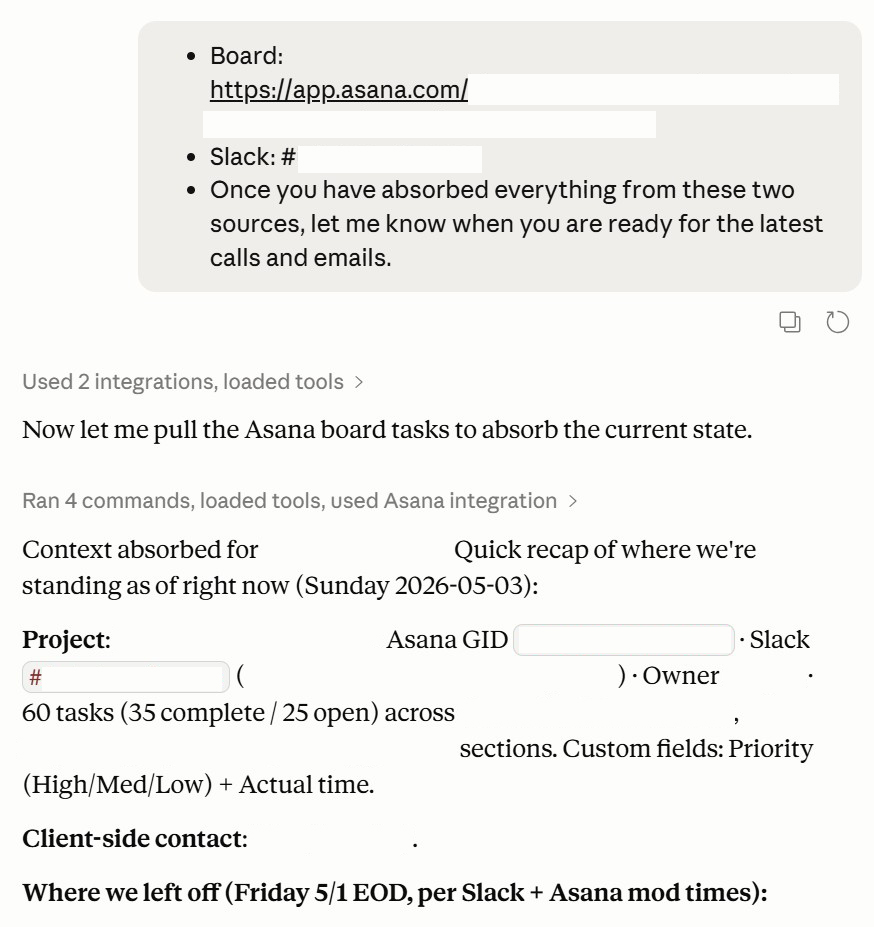
2. Build Context with Endpoints
The first prompt is run in Claude Cowork using only the endpoint inputs (Asana Task Board URL and Slack Channel Name). Claude uses the Asana and Slack integrations to read the current state of the client's task board and recent channel messages. This step builds the AI's context window so that it understands the existing state of the client account before being asked to process new data.
Once the context is built, Claude pauses and indicates it is ready for the next phase.
3. Process Data with Sub-Agents
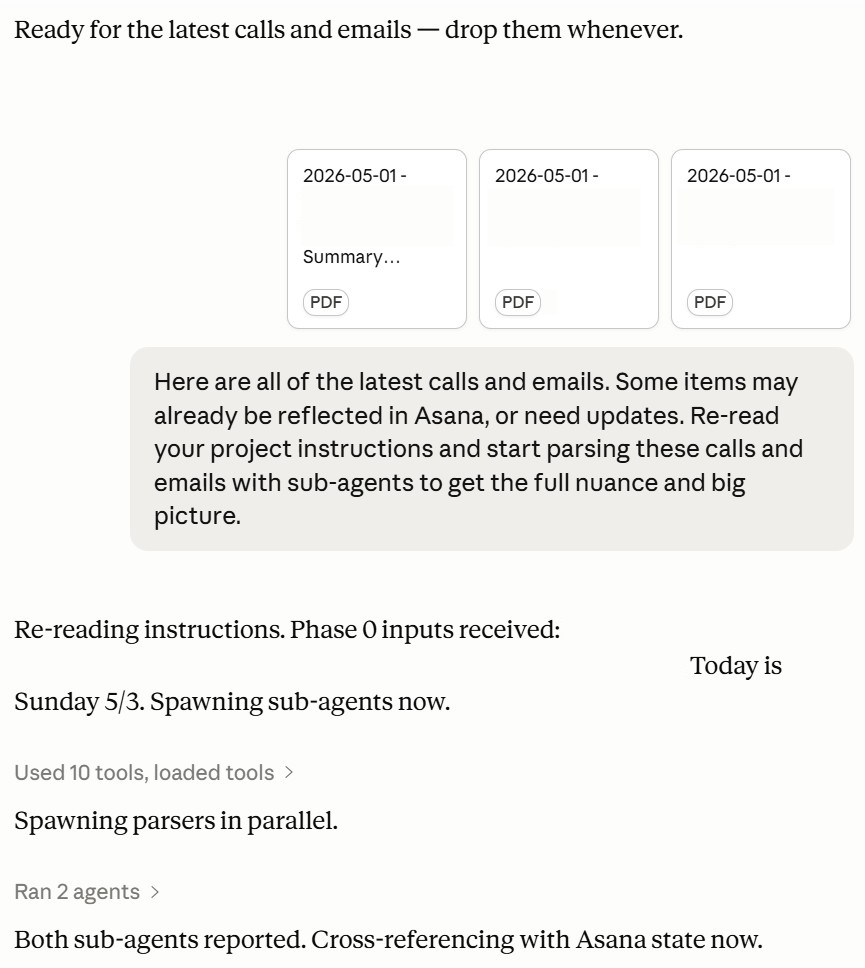
The meeting call and email PDFs are uploaded to the conversation. Because the input field has a per-message attachment limit, large batches are uploaded in stages with a holding instruction between uploads.
Once all data is uploaded, a second prompt instructs Claude to re-read the project instructions and dispatch sub-agents to parse the calls and emails in parallel. This sub-agent approach allows the system to capture full nuance across multiple sources and synthesize a unified plan.
The output is a structured synthesis showing proposed Asana writes across categories: project close-signals, comment updates, duplicate consolidation, new tasks to create, contract-related updates, status updates, and exclusions. Totals are displayed at the end. The workflow pauses here and waits for operator review before any writes are made.
Segment 3: Approval & Execution
The purpose of this segment is to validate the proposed plan, approve it, and execute the writes to Asana along with generation of the Client Brief and Slack Summary. This is where the workflow transitions from planning to action, gated by explicit operator approval.
4. Duplicate Check & Approval Gate
Before approving the plan, the operator runs a duplicate and merge spot-check prompt. Claude reviews its own proposed plan against the project instructions for duplicates and merge logic, and may revise the plan by changing completion signals, moving proposed new tasks into updates or subtasks, or rescoping an existing task rather than creating a new one. Revised totals are displayed and approval is requested.
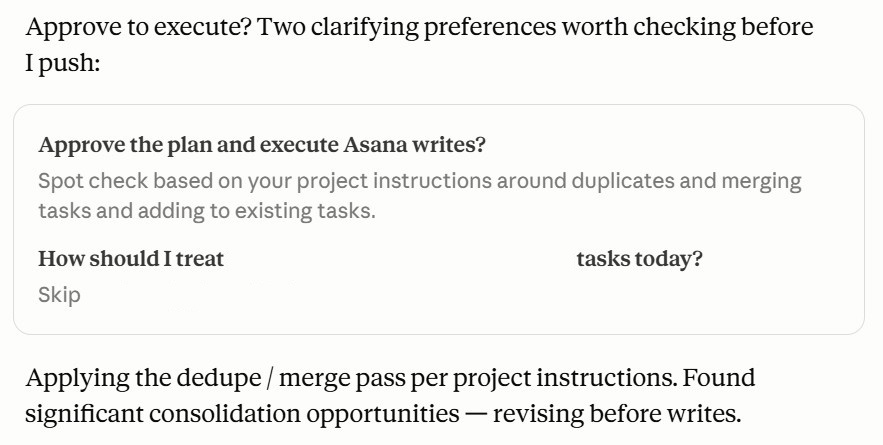
Once the operator reviews the revised plan and confirms it looks correct, approval is granted with an explicit "Approved. Push to Asana." instruction. This is the primary approval gate of the workflow.
5. Execution and Output Generation
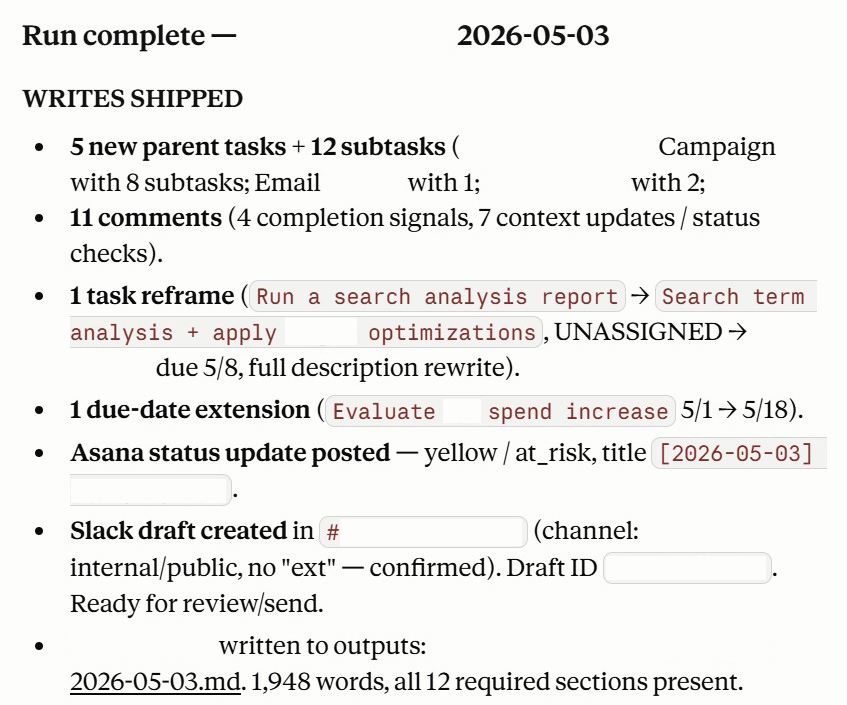
After approval, Claude executes the plan. Task updates are pushed automatically to Asana through the Asana integration, including new tasks, subtasks, dependencies, comments, and status updates. In parallel, Claude generates the Client Brief and the Slack Summary as part of the execution phase.
During execution, Claude may pause periodically to request permission for specific tasks or to confirm continuation between phases. The operator approves these as they appear to keep the agent moving forward.
Segment 4: Verification & Storage
The purpose of this segment is to store the Client Brief in its designated Google Drive folder and verify that the Slack Summary has posted to the correct channel. This segment is performed by the operator and ensures all three outputs are properly recorded and visible to stakeholders.
6. Store Client Brief & Verify Slack Summary
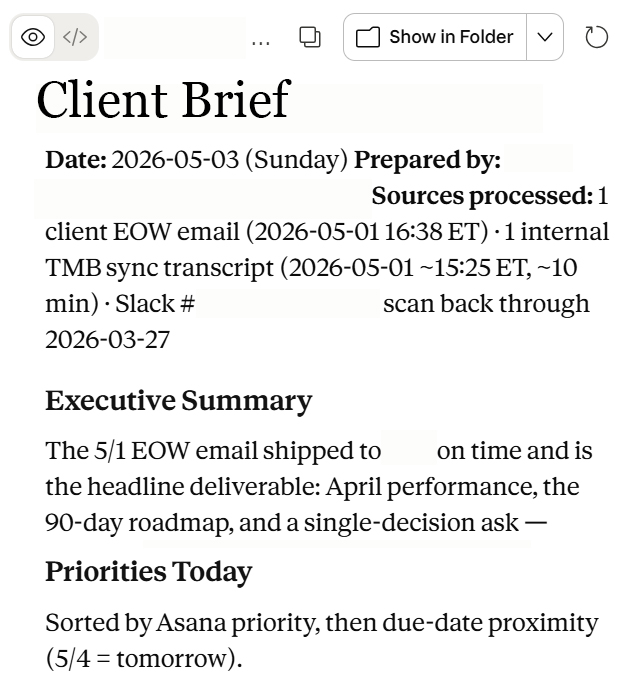
The Client Brief is generated as a markdown file by the workflow, then converted to a Google Doc and saved in the client's designated brief archive folder in Google Drive. This creates a persistent, queryable record of client activity over time.
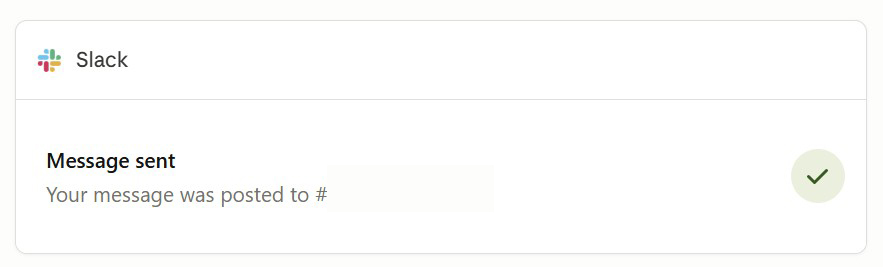
The Slack Summary is verified in the client's Slack channel. If the automated post fails, the operator copies the summary content from the workflow output and posts it manually to ensure consistent stakeholder visibility.
C. Gallery