Chatbot Build vs. Buy Analysis
A. Problem
A department wanted to add a chatbot to their website to cut down on repetitive email inquiries and help visitors find answers faster. They knew they wanted "a chatbot," but not what that actually entailed. They asked:
- What are the options?
- How do we set it up?
- How much will it cost?
B. Approach
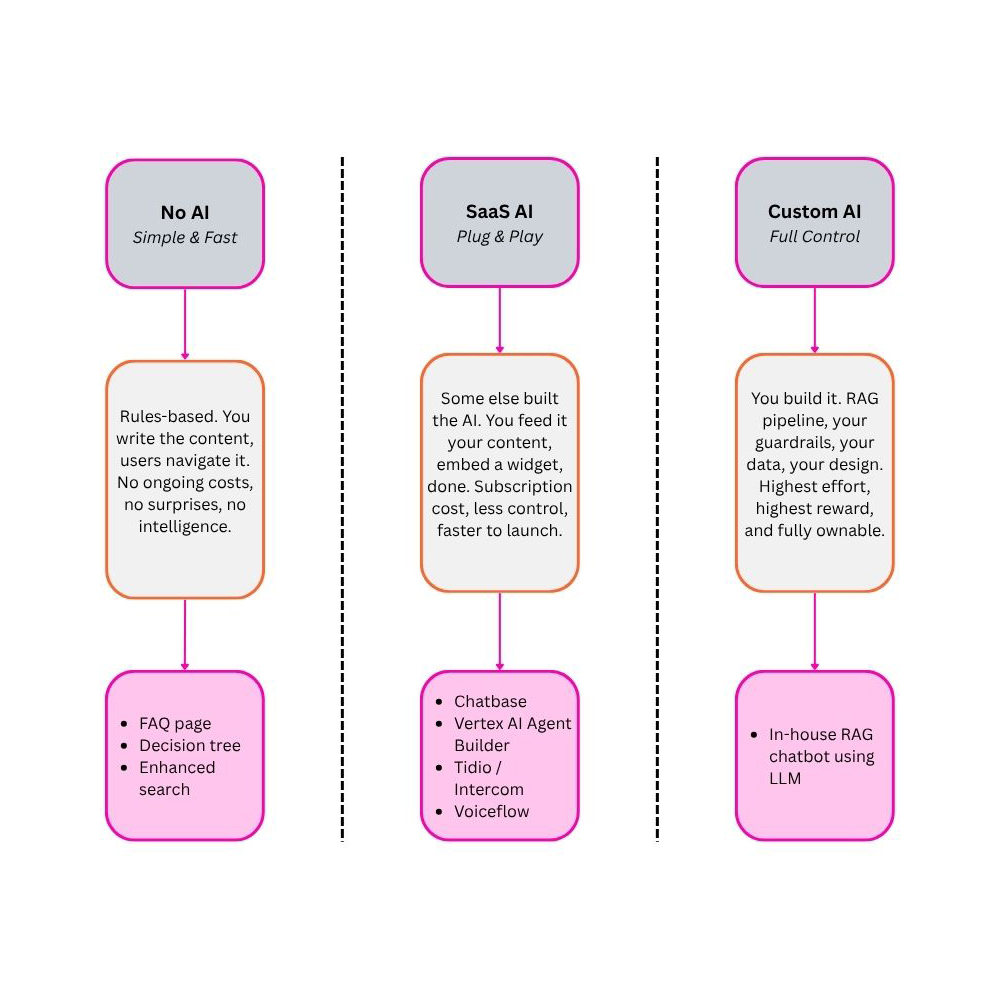
Rather than recommend a single tool up front, I structured the entire landscape into three tiers so leadership could weigh them against budget, control, and effort:
- No AI: Rules-based FAQ, decision tree, or enhanced search. Fastest to ship, zero ongoing cost, no intelligence.
- SaaS AI: A third-party widget fed your content. Quick to launch, but a subscription cost and your data leaves the environment.
- Custom AI: A self-owned RAG build. Full control over data, tone, and guardrails, at the highest build effort.
Each tier was scored on cost, control, data governance, and maintenance.
C. Outcome
Leadership received a clear, budget-aligned recommendation backed by a side-by-side cost breakdown and a risk-weighted view of each tier, including the data-residency and compliance exposure that came with sending content to outside vendors.
D. Documentation
The full analysis broke the chatbot decision into three approaches, each evaluated on effort, cost, control, and risk. Below is the complete breakdown delivered to stakeholders, followed by the cost modeling that grounded the recommendation.
The core framing: No AI gets you there faster, SaaS AI gets you there easier, Custom AI gets you there best. Each tier trades effort against ownership and intelligence.
No AI: Simple, Fast, Zero Risk
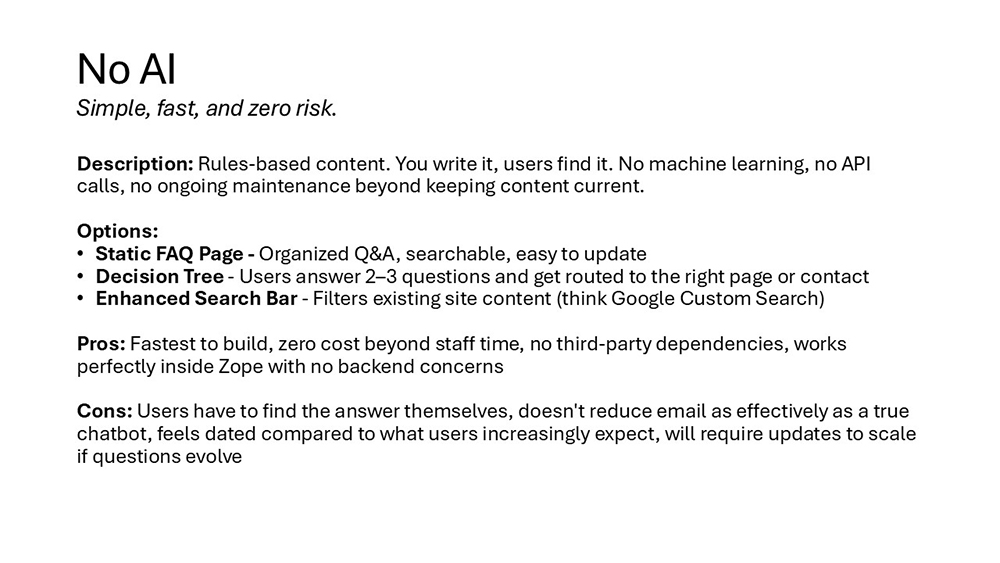
Rules-based content the user navigates themselves. No machine learning, no API calls, no ongoing maintenance beyond keeping content current.
Options
A static FAQ page (organized, searchable Q&A), a decision tree (users answer two or three questions and get routed to the right page or contact), or an enhanced search bar that filters existing site content.
Pros
Fastest to build, zero cost beyond staff time, no third-party dependencies, works cleanly inside the existing environment with no backend concerns.
Cons
Users have to find the answer themselves, doesn't reduce email as effectively as a true chatbot, feels dated against rising user expectations, and needs manual updates to scale as questions evolve.
SaaS AI: Plug and Play
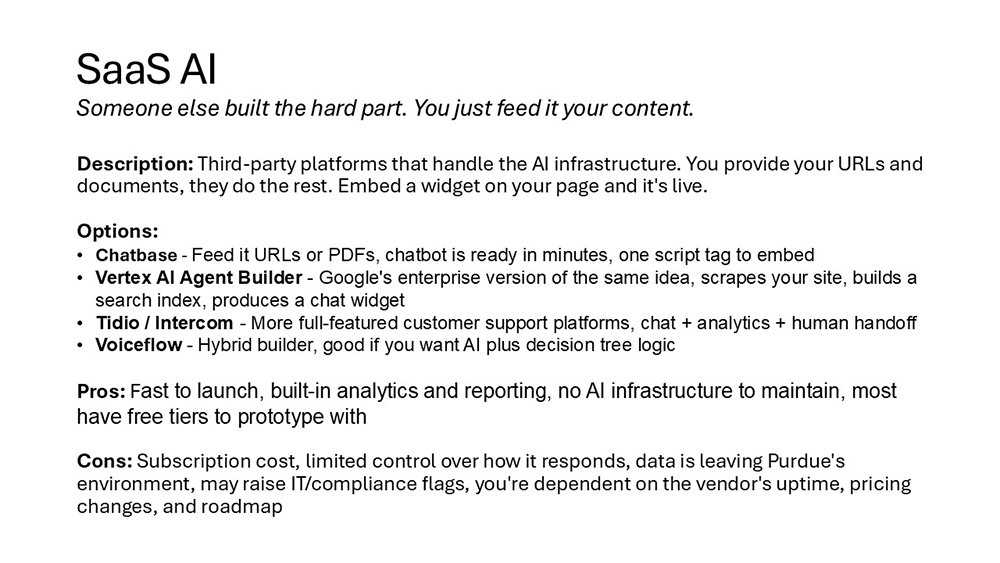
Third-party platforms handle the AI infrastructure. You provide URLs and documents, they do the rest, and a widget gets embedded on the page.
Options
Chatbase (feed it URLs or PDFs, embed with one script tag), Vertex AI Agent Builder (Google's enterprise equivalent that scrapes your site and builds a search index), Tidio or Intercom (fuller customer-support platforms with chat, analytics, and human handoff), and Voiceflow (a hybrid builder pairing AI with decision-tree logic).
Pros
Fast to launch, built-in analytics and reporting, no AI infrastructure to maintain, and most offer free tiers to prototype with.
Cons
Subscription cost, limited control over responses, data leaves the organization's environment, potential IT and compliance flags, and dependence on the vendor's uptime, pricing, and roadmap.
Custom AI: Full Control
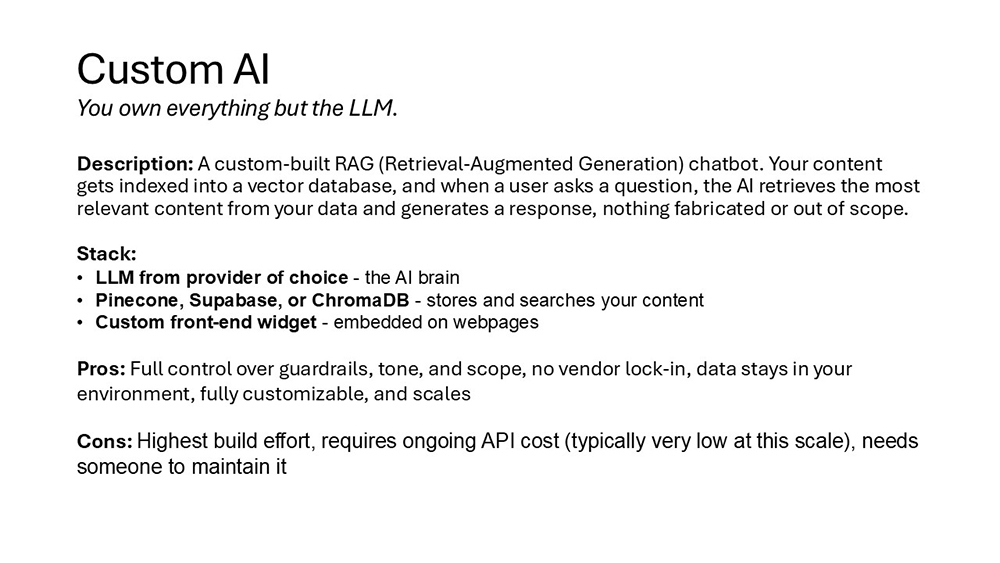
A custom-built RAG (Retrieval-Augmented Generation) chatbot. Content is indexed into a vector database, and when a user asks a question, the AI retrieves the most relevant content and generates a grounded response, nothing fabricated or out of scope.
Stack
An LLM from the provider of choice as the reasoning layer, a vector database (Pinecone, Supabase, or ChromaDB) to store and search content, and a custom front-end widget embedded on the page.
Pros
Full control over guardrails, tone, and scope, no vendor lock-in, data stays in the environment, fully customizable, and scales.
Cons
Highest build effort, ongoing API cost (typically very low at this scale), and needs someone to maintain it.
Cost Modeling
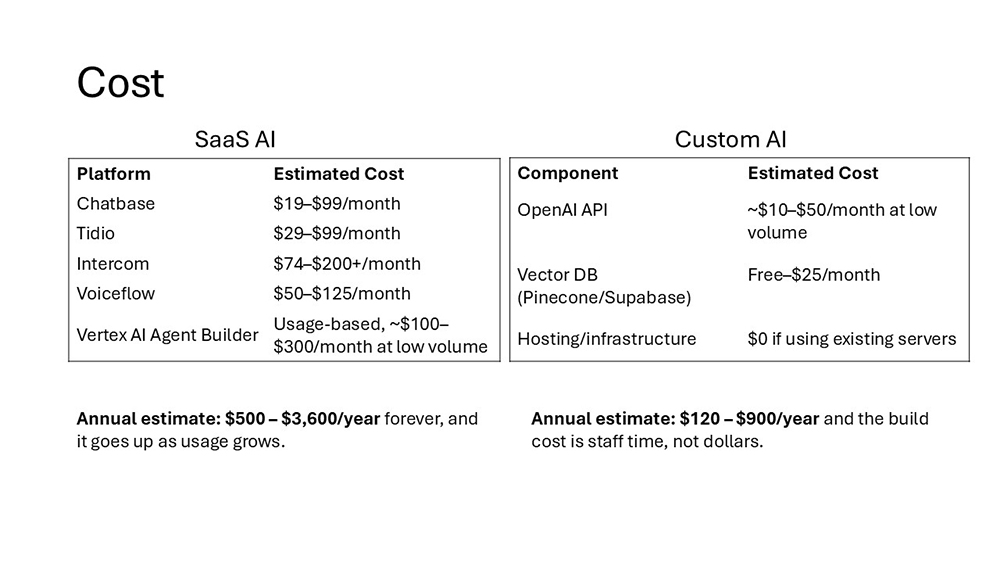
Cost was the deciding axis for stakeholders, so each AI tier was modeled at low volume.
SaaS AI: Recurring Subscription
Pricing scales with usage and never goes away:
- Chatbase: $19-$99/month
- Tidio: $29-$99/month
- Intercom: $74-$200+/month
- Voiceflow: $50-$125/month
- Vertex AI Agent Builder: usage-based, ~$100-$300/month at low volume
Annual estimate: $500-$3,600/year, ongoing, rising with usage.
Custom AI: Low Run Cost, Staff-Time Build
The build cost is staff time, not dollars, and the run cost stays low:
- LLM API: ~$10-$50/month at low volume
- Vector DB (Pinecone/Supabase): free-$25/month
- Hosting/infrastructure: $0 using existing servers
Annual estimate: $120-$900/year, with the build cost paid in staff time rather than recurring fees.
Further Considerations
One open thread flagged for stakeholders: the broader institution already runs a chatbot elsewhere, so it was worth checking which service that team uses before committing to a separate path.
E. Gallery